AI Text Watermark Remover
Paste anything you copied out of ChatGPT, Gemini, Copilot or Claude and see every hidden character it is carrying. This AI text watermark remover names each one, shows where it sits, and removes only the ones you pick — in your browser, with nothing uploaded.
Only this explicit click requests clipboard access. HTML is analyzed as text and is never rendered.
AI Text Watermark Remover: check before you clean
Check your AI-generated text to see every inspectable code point, its position, and a change preview before anything is removed.
Browser-only processing · Nothing is uploaded.
Remove AI watermarks from text in three steps
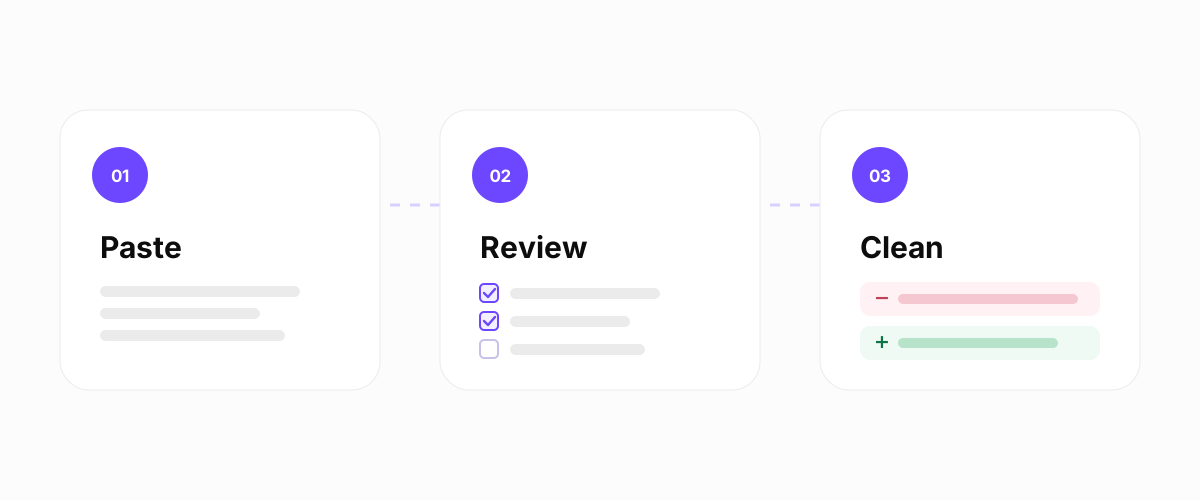
The AI text watermark remover works in three moves: paste, review, remove. Paste the passage you copied out of an assistant and press Check Text. The inspection runs in this browser tab and returns a list of every hidden character it can find, each one named, located by its exact position in the string, and shown with the words around it.
Then you decide. Characters that are safe to drop arrive preselected. Anything with a legitimate use — a joiner holding an emoji together, a control that sets reading direction — arrives unchecked, because removing it might change what the text means. Tick what you want gone, press the button, and compare the cleaned preview against your original before you copy anything. Nothing is rewritten in place, and Undo puts you back where you started.
That review step is the part most tools skip. An AI text watermark remover that strips everything it finds without showing you the findings is asking you to trust it with text you have not read yet — and hidden characters are exactly the kind of thing you cannot check afterwards by looking.
What an “AI text watermark” actually is
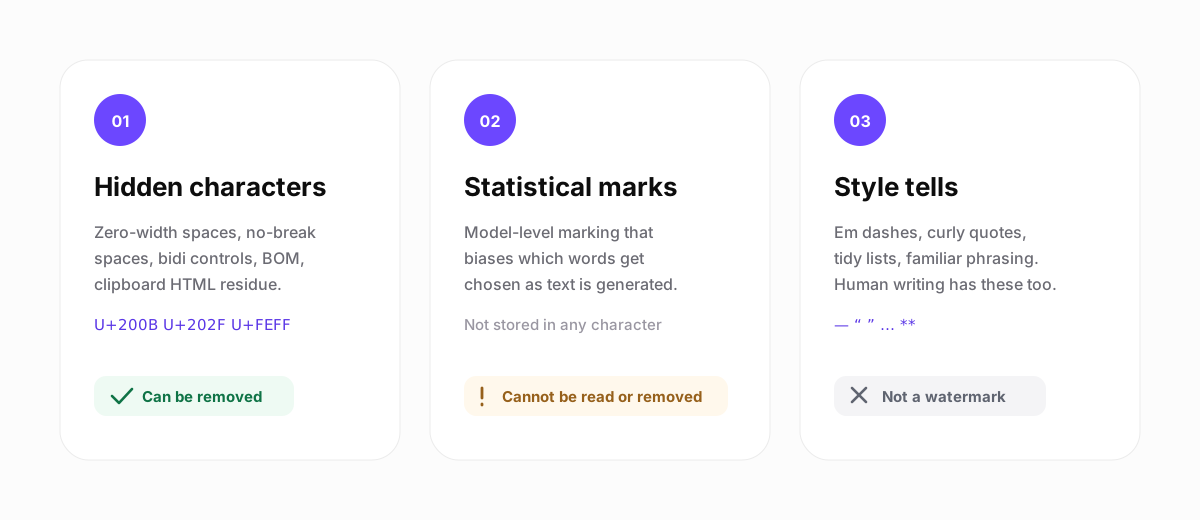
The phrase covers three unrelated things, and almost every unsatisfying answer online comes from mixing them up. Separating them is the difference between a tool that works and a promise that cannot be kept.
1. Hidden characters and formatting residue
Real characters that occupy positions in the string but render as nothing, or as blank space. Zero-width spaces, word joiners, narrow no-break spaces, byte order marks, bidirectional controls. Copying rich text also drags an HTML layer along beside the plain text, carrying inline styles, class names, and office-suite markers. This category is directly observable, which means it can be counted, shown to you, and removed. It is the category this page operates in.
2. Statistical, model-level marking
A bias applied while the text is being generated, nudging which words get chosen so a later checker can recognise the pattern. Anthropic has stated that supported models embed an imperceptible mark of this kind, and Google has published SynthID-Text on the same principle. Because the signal lives in the choice of words rather than in any particular character, deleting characters does not touch it. No public third-party method for reading these marks has been documented, which means nobody outside those companies can tell you whether a given paragraph carries one.
3. Style tells, which are not watermarks at all
Em dashes, curly quotes, the word “delve”, tidy three-item lists. These get called watermarks constantly and they are nothing of the sort — they are typography and habit, they appear in human writing all the time, and no company embedded them on purpose. The tool will convert them if a destination needs plain ASCII, and it labels them as formatting rather than as evidence.
What this AI generated text watermark remover finds
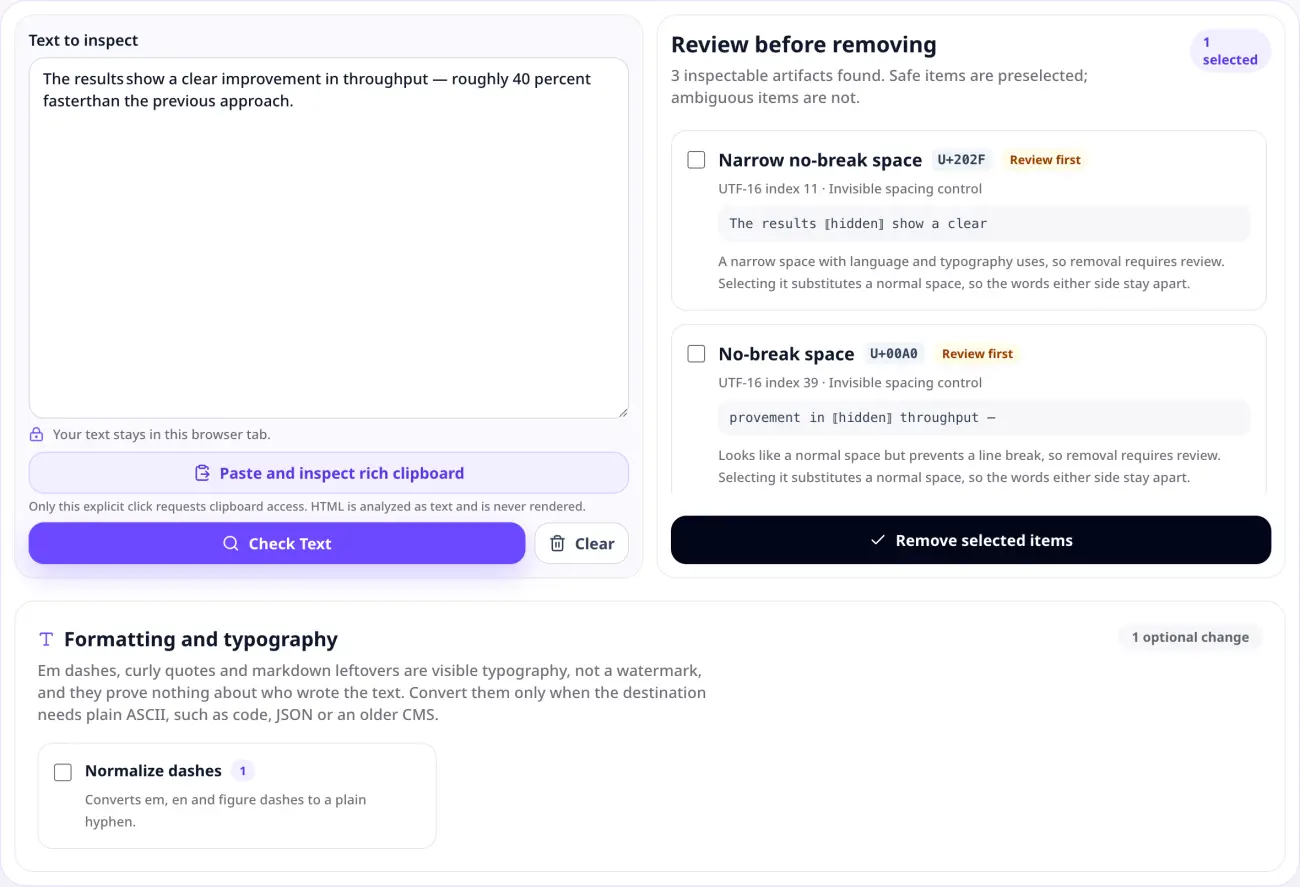
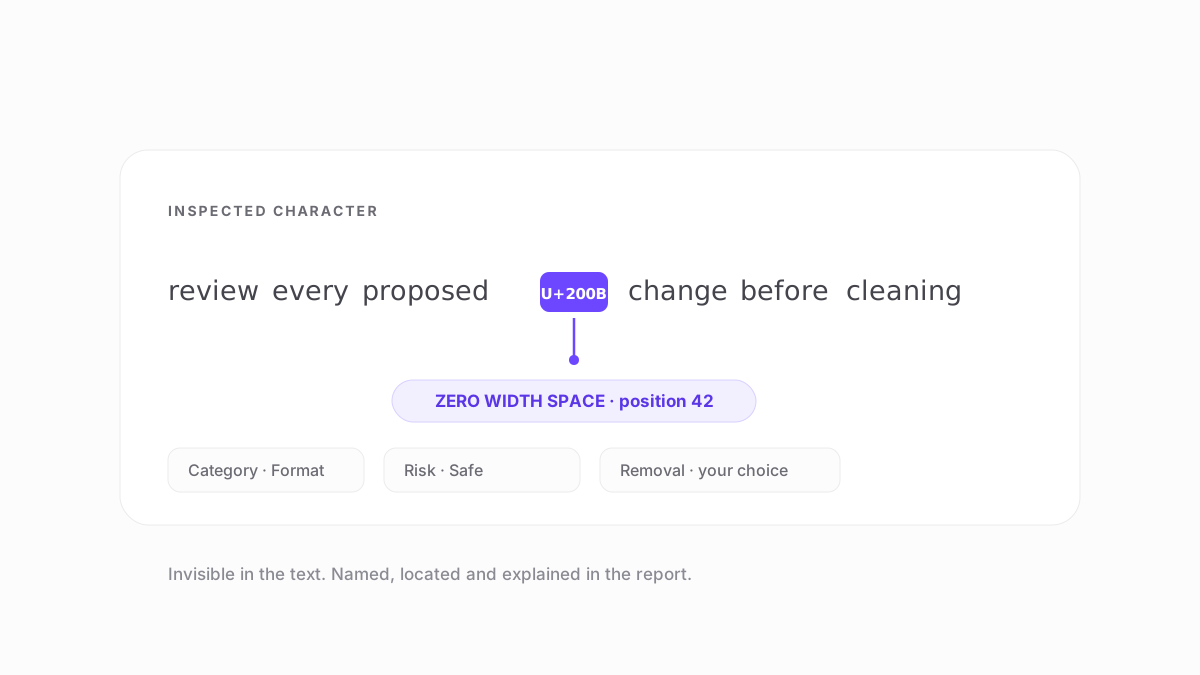
Every finding the AI text watermark remover reports names the character, gives its code point, gives its position, and shows the surrounding words so you can judge it. These are the categories it covers:
- Zero-width characters. Zero-width space, word joiner, byte order mark. Invisible, occupy no width, usually safe to drop.
- Blank-width spacing. No-break space, narrow no-break space, thin space, ideographic space and the rest of the Unicode space family. These look like ordinary spaces, so they are replaced with one rather than deleted.
- Shaping controls. Zero-width joiner and non-joiner, variation selectors. Load-bearing in emoji sequences and in several writing systems, so never preselected.
- Bidirectional controls. Marks, embeddings, overrides and isolates that set visual reading order. Necessary in Arabic and Hebrew text, and worth a close look anywhere else.
- Line and paragraph separators. U+2028 and U+2029, which break lines without being ordinary newlines and quietly break parsers. Replaced with real newlines.
- Tag and control characters. Unicode Tags, C0 controls, invisible mathematical operators, musical formatting controls. Rare in prose and almost always unintended.
- Clipboard HTML residue. Reported separately when you use the clipboard button: elements, inline styles, class names, data attributes, comments, and office formatting markers.
Which AI tools does it work with?
All of them, because the AI text watermark remover looks at characters rather than at providers. There is no per-vendor detection list and no vendor signature being matched — a zero-width space from ChatGPT is the same code point as a zero-width space from a word processor, and it is reported identically.
- ChatGPT and Copilot. Text copied out of these assistants has at times contained narrow no-break spaces sitting between ordinary words. They are invisible on screen and they break exact-match search, regex, and diffs.
- Gemini.Google's published text marking is SynthID-Text, which is statistical. Nothing in that scheme is a character this or any character-level tool can see.
- Claude and Claude Code. Covered in more detail in the guide to marking in code and terminal output, including why source files legitimately contain invisible control characters.
- Anything else you paste. Google Docs, Word, Notion, Slack, a CMS editor, a web page. All of them leave formatting residue, and none of it says anything about AI.
How to clean AI text without breaking it
The failure mode worth guarding against is not missing a character. It is removing one that was doing a job. A few concrete cases:
- A no-break space between two words is invisible, but deleting it welds the words together. This tool substitutes a normal space instead, so the gap survives.
- A zero-width joiner inside an emoji sequence is what makes it a single glyph. Remove it and one emoji becomes two or three.
- Bidirectional controls in Arabic or Hebrew set the reading order. Stripping them scrambles how the sentence displays.
- In source code, a byte order mark at the start of a file can be meaningful, and asterisks are multiplication rather than emphasis.
The defaults of this AI text watermark remover follow from that: safe items preselected, ambiguous items left alone, every item shown in context, and a preview before anything is copied. When you do want to remove an AI watermark from text you are about to publish, the useful question is never “remove everything?” but “what is each of these characters doing here?”
What it cannot do, and why no tool can
This AI text watermark remover cannot read or remove a statistical model-level mark. That is not a gap in the implementation — the detection method has not been published, and the signal is not stored in characters, so there is nothing for a character-level tool to operate on. Any product claiming to strip every AI watermark from text is either describing hidden characters and overstating it, or describing something the public research does not support.
It also cannot tell you who wrote something. A clean result means the specific characters this tool checks are absent. It does not mean a human wrote the text, and a result full of findings does not mean a machine did. If you are an educator, editor, or reviewer, that distinction matters more than anything else on this page: the absence of evidence is not evidence of absence, and no character inspection can settle authorship.
For the current state of what has and has not been published about text marking, see what AI companies have actually said about text marking and how to read a check result.
Verify this against Anthropic's sourcePrivate by design
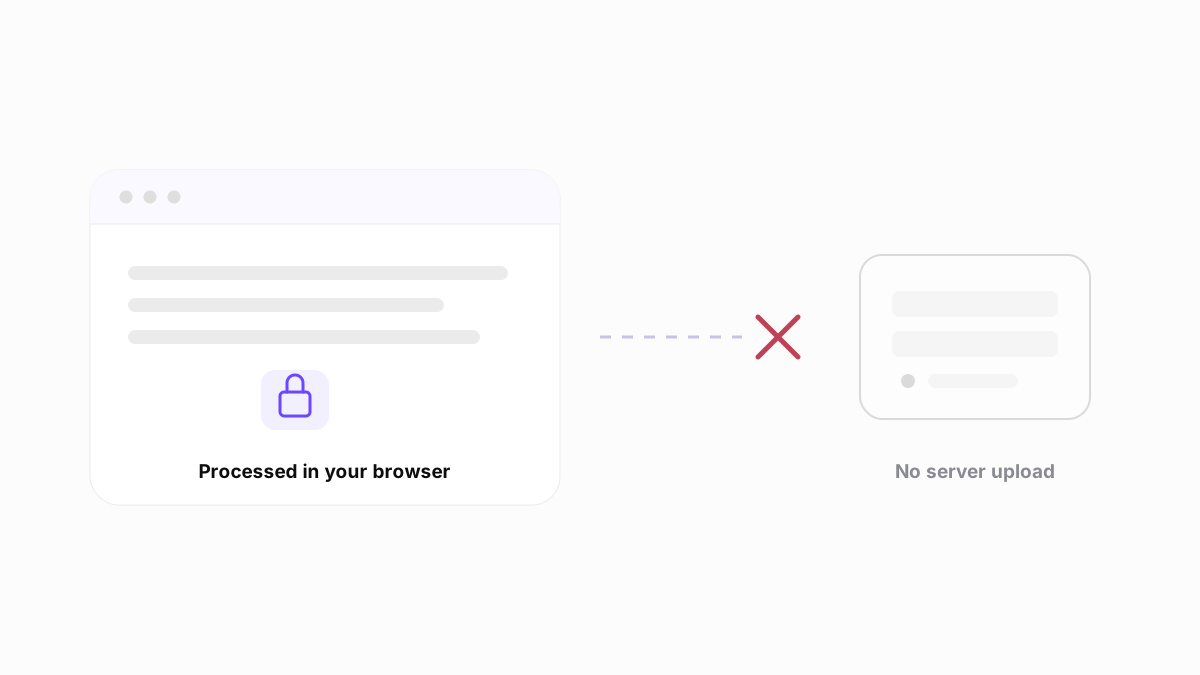
Nothing you paste leaves the tab. This AI text watermark remover is JavaScript running on your device, so there is no upload step, no server request carrying your text, no log, and no AI provider in the loop. You can load the page, disconnect from the network, and it still works.
That is a deliberate difference from the common pattern in this category, where you paste into a form, the text is posted to a server, and the cleaned result comes back behind an email gate. For an unpublished draft, an internal document, or a client's copy, posting the text somewhere to have its punctuation adjusted is a bad trade. The rich clipboard layer is only read when you click the clipboard button, and the HTML found there is analyzed as text and never rendered.
Related guides
Asked about AI text watermarks
AI text watermark remover FAQ
Some do, and not in the way most people expect. Anthropic has said supported models embed an imperceptible, model-level mark in generated text, and Google has published SynthID-Text, which biases word choice statistically. Neither is a character you could find with a search-and-replace. Separately, text copied out of any assistant can carry ordinary hidden characters such as zero-width spaces or narrow no-break spaces. That second category is what this tool inspects, and it is not proof of anything about the text.
No, and no honest tool can claim otherwise. It removes hidden Unicode characters and clipboard formatting residue, because those are actually present in the string and can be shown to you with their exact positions. A statistical, model-level mark is a property of which words were chosen, not a character sitting in the text, so deleting characters cannot affect it. Anyone promising complete removal of every AI watermark is describing something the published research does not support.
No, and that is not what this tool is for. This AI text watermark remover changes the character stream, not the word choices that statistical detection and model-level marking operate on. If your goal is to change how a detector scores your writing, nothing here will do that, and we would rather say so plainly than sell a result the tool cannot deliver.
Review each finding before you approve it, and use the preview. Some invisible characters are load-bearing: zero-width joiners hold emoji sequences together, bidirectional controls set reading order in Arabic and Hebrew, and a byte order mark can matter at the start of a file. Ambiguous items are never preselected. Blank-width characters such as a no-break space are replaced with a normal space rather than deleted, so the words on either side stay apart.
It is free with no account, no email, and no usage limit, and your text is never uploaded. The inspection runs in JavaScript in this browser tab, so the text you paste does not reach a server, a log, or an AI provider. The rich clipboard layer is only read when you explicitly click the clipboard button, and the HTML it finds is analyzed as text rather than rendered.
None of them are, by themselves. Zero-width spaces, word joiners, and narrow no-break spaces appear in text from word processors, web pages, chat clients, and CMS editors that have never been near an AI model. Finding one tells you a specific character is present at a specific position — useful if it breaks your search, your regex, or your build. It does not tell you what produced the text, and this tool never labels a character as an official mark from any AI company.