U+200B
Hidden Unicode
Find zero-width characters, bidirectional controls, Unicode Tags, and other inspectable code points that may be invisible in normal text.
Claude’s August 2026 watermark is statistical — it lives in word choice, and no character cleaner can remove it. The Claude Watermark Remover handles what is actually sitting in your text: invisible Unicode characters and clipboard formatting. Paste your Claude text, see every artifact named and located, then remove only the ones you pick — one click, entirely in your browser, nothing uploaded.
Only this explicit click requests clipboard access. HTML is analyzed as text and is never rendered.
Check your Claude text to see inspectable code points, their UTF-16 positions, and a change preview before anything is removed.
Browser-only processing · Nothing is uploaded.
Then the formatting breaks, the word count is off, a diff lights up for no reason, or a reviewer flags characters you cannot even see.
Invisible characters travel with copied text. You cannot fix what you cannot see, so the first job the Claude Watermark Remover does is make them visible — named, located, and shown in context. Only then does the Claude Watermark Remover offer to change anything.
Inspect the evidence
This Claude watermark detector does not return an unexplained yes-or-no score. It identifies the inspectable characters or formatting it found, shows where they appear, and explains what will change. That is why the Claude Watermark Remover always runs as a checker first and a cleaner second.
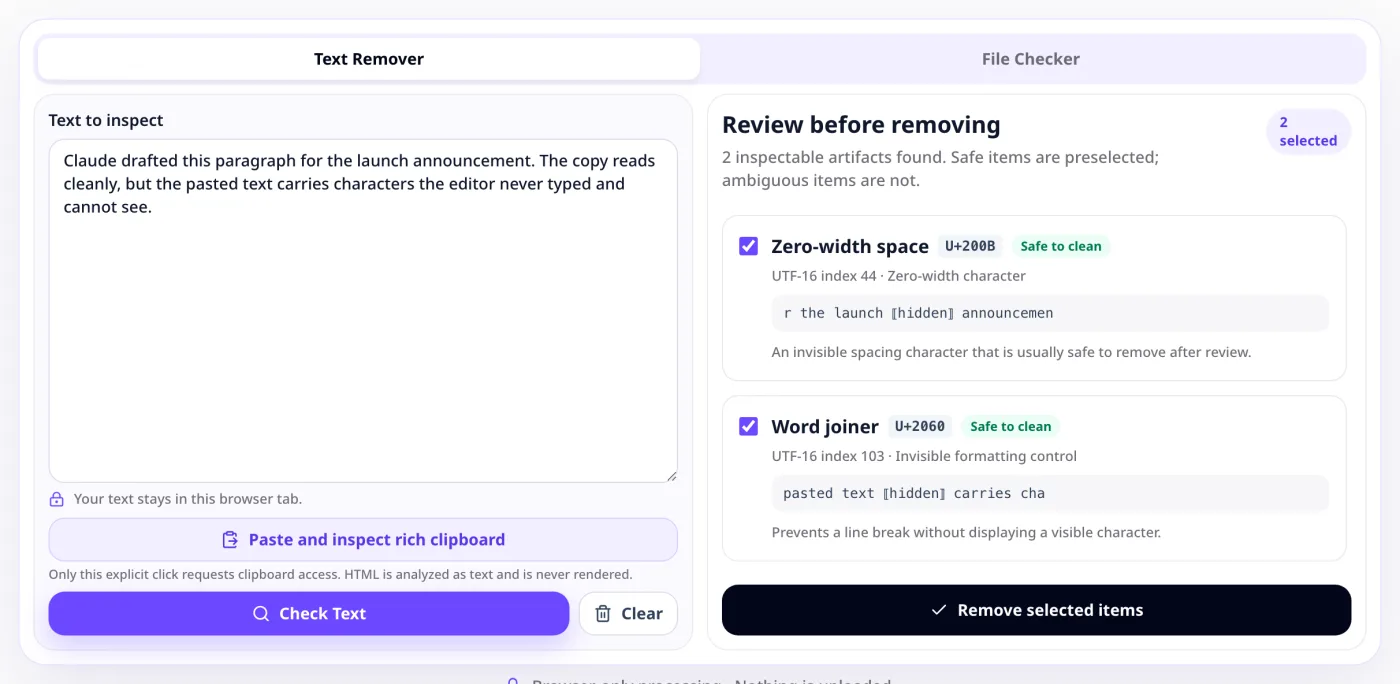
Find zero-width characters, bidirectional controls, Unicode Tags, and other inspectable code points that may be invisible in normal text.
Review clipboard HTML and formatting residue that can travel with copied text even when the visible words look unchanged.
Compare the original and cleaned versions. Nothing is removed until you select the items and approve the change.
Inspectable signals
A transparent Claude watermark cleaner identifies the exact text artifact first. You can inspect its code point, read the nearby words, and decide whether removing it is appropriate.
Example inspection
4 inspectable code points
Zero-width space
Word joiner
Right-to-left override
Tag character
A transparent product principle
The Claude Watermark Remover is designed to make every conclusion inspectable. It reports observable evidence and keeps its scope visible instead of treating one score as proof of authorship.
The layer you can actually verify
Files are the easy case. Where Claude’s text mark is statistical and unreadable without Anthropic’s key, a file Claude generates carries a signed C2PA Content Credential — a cryptographic record that either validates or does not. Anthropic has said it will offer its own drop-a-file checker but has not released one, and any C2PA-aware tool can read the credential meanwhile. The Claude Watermark Remover keeps file checking in a separate tool that runs in your browser, and it reports validation status honestly: a missing credential is not proof a file did not come from Claude.
Open the C2PA File CheckerLearn how Claude watermarks and Content Credentials differCredential inspection
Read supported signed file data
This illustration is not a credential result. The checker reports only what a selected supported file actually contains.
Three deliberate steps
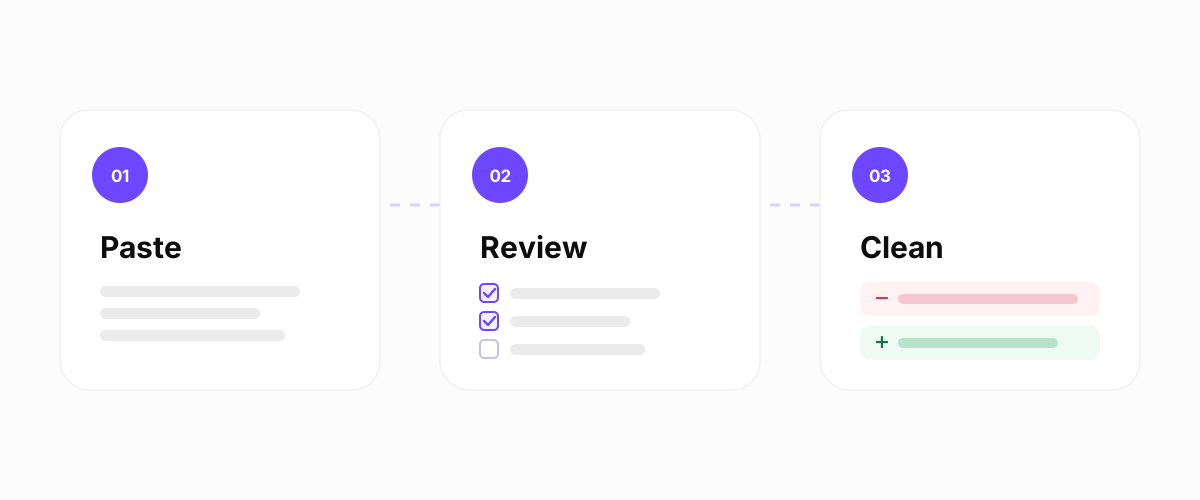
Paste text from Claude, Claude Code, a document, or your clipboard into the Claude Watermark Remover. Inspection begins locally in your browser.
See every detected character, its code point, location, category, and surrounding context. Keep legitimate characters and select only the artifacts you want to clean.
Preview the difference, remove the selected items, and copy the cleaned text. Nothing is written back to your original Claude text, which stays available until you clear the page.
Inspect the layer you can see
Switch between text code points and clipboard formatting to see what the inspection can explain—and where its evidence ends.
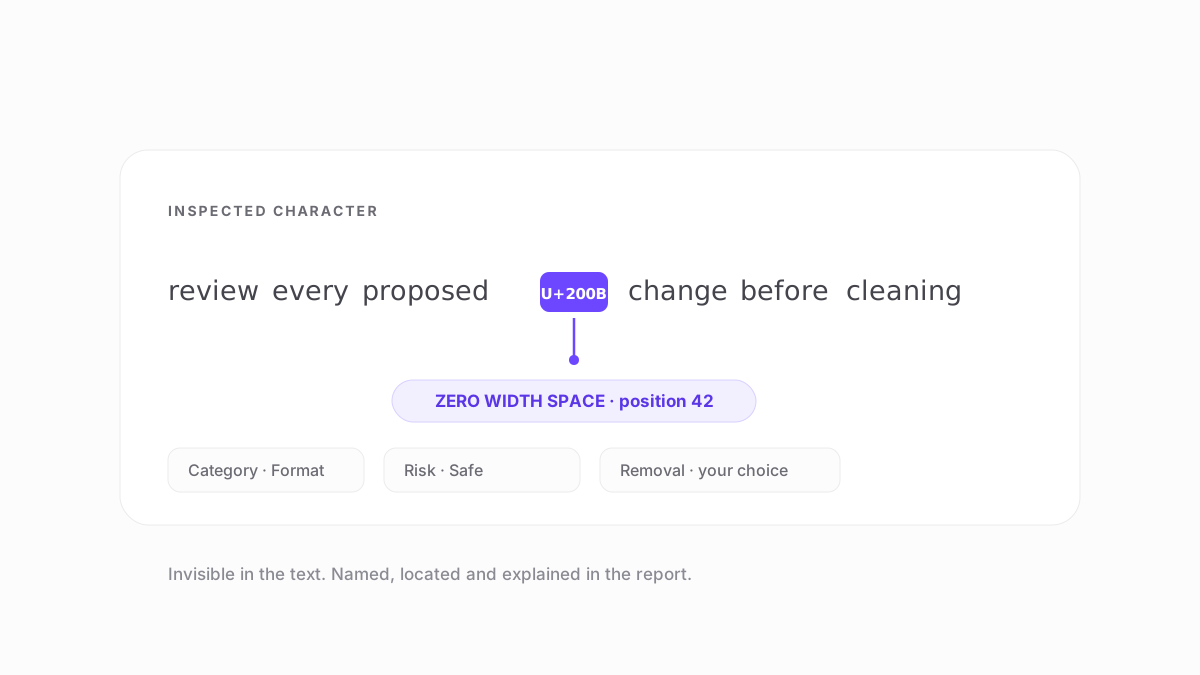
U+200B · ZERO WIDTH SPACE
Each Unicode finding names the character and its position, then shows the surrounding text. You decide whether that one item should remain or be included in the cleaned preview.
Position
42
Category
Format
Context
Visible
Removal
Selected
Change preview
−Review every proposed change.
+Review every proposed change.
Example only. The real preview is generated from your input and selections.
CLIPBOARD HTML
Rich clipboard content may contain spans, inline styles, or other HTML residue even when the visible words look ordinary. The inspector separates that formatting layer from the plain text you read.
Plain text does not preserve clipboard HTML, and it cannot be used to infer Claude’s model-level mark.
Visible text
Copied text
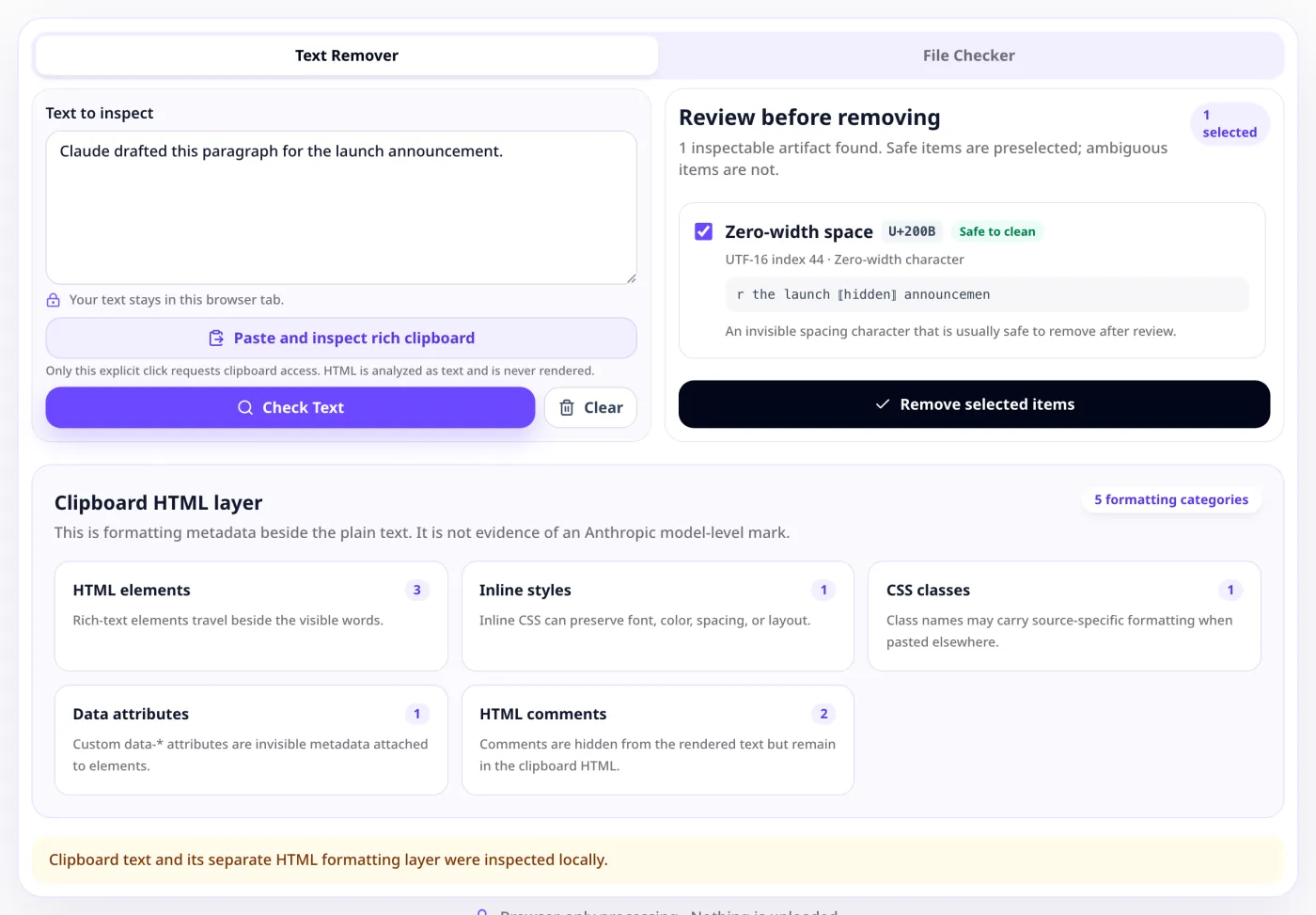
These are two different things, and conflating them is how most tools mislead people. A Claude text watermark remover works on characters that are actually present in the string you pasted: zero width spaces, joiners, direction controls, tag characters, clipboard markup. A model-level mark is a statistical property of how the words themselves were chosen. Anthropic published how Claude’s own mark works on 14 August 2026 — a SynthID-Text style method that adds nothing to the text and leaves no hidden characters — and says a detection API is coming, but has not released one yet.
The Claude Watermark Remover only ever claims the first one. Every finding it lists is a character you can see the code point for, locate in your text, and decide about yourself.
The Claude Watermark Remover cannot detect or remove Anthropic’s model-level mark. Reading it requires Anthropic’s key, and only a full rewrite displaces it. This tool reports the Unicode characters, formatting artifacts, and supported file credentials it can inspect directly.
Scope of the inspection
Yes, within the same limits. This AI watermark remover inspects characters, not providers. Text copied from Claude, another assistant, a word processor, or a web page runs through exactly the same Unicode and clipboard-HTML inspection, and the findings are reported the same way.
What no character-level tool can do — for any provider — is read or strip a statistical model-level watermark. Reading one needs the provider’s key; displacing one needs the words themselves rewritten. That boundary is identical whether the Claude Watermark Remover is looking at Claude text or at something you wrote yourself.
Working mostly with output from ChatGPT, Gemini or Copilot? The Claude Watermark Remover and the AI text watermark remover run the same inspection, and that page covers how a hidden character differs from a statistical model-level mark.
The primary case. Paste answers, prompts, or terminal output straight from Claude.
ChatGPT, Gemini, and similar tools produce text that carries the same kinds of invisible characters.
Copying from Google Docs, Word, Notion, or a web page drags formatting residue along with the words.
Built for careful review
See the same inspectable evidence whether you are polishing copy, debugging text, reviewing work, or documenting a process.
Review copied drafts before moving them into publishing tools.
Inspect unexpected Unicode in prose, prompts, and code snippets.
Separate observable text artifacts from assumptions about authorship.
Document what was inspected, what changed, and what remains unknown.
Bring text from
Your text stays yours
This one never sees it.
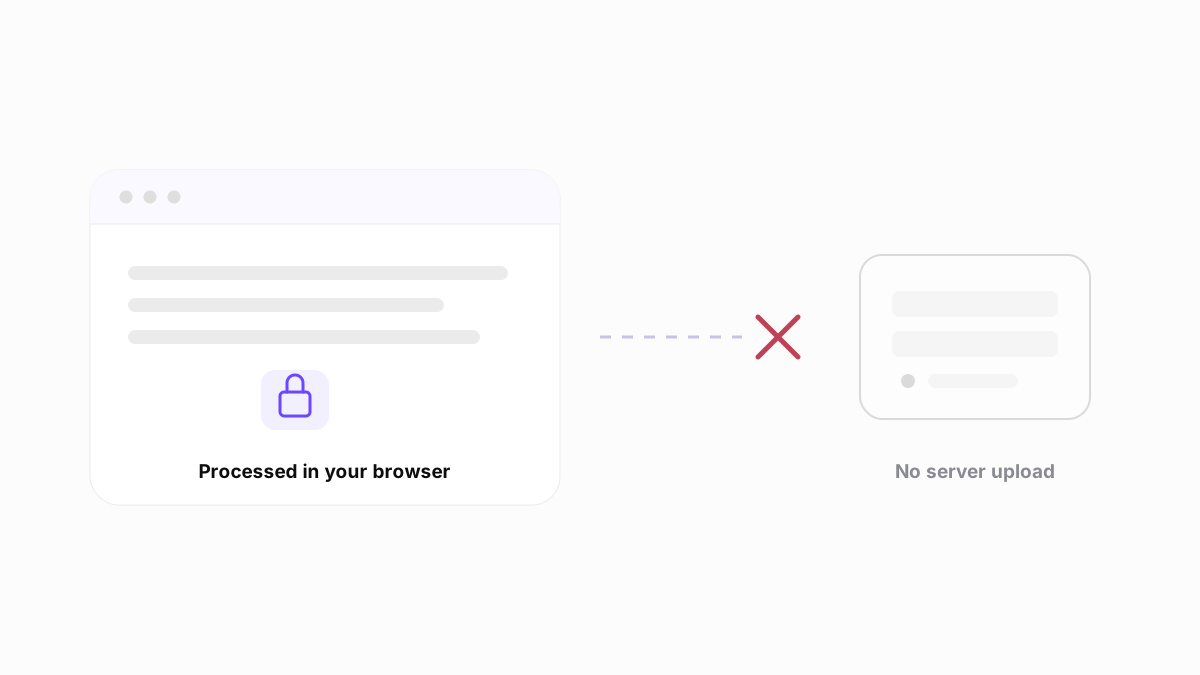
Your pasted Claude text is inspected and cleaned locally in your browser. The Claude Watermark Remover never uploads your text: it needs no account and sends nothing to an AI provider. Clearing the tool removes the working copy from the page.
That is not a setting you have to find and switch on. There is no upload path in the Claude Watermark Remover at all — the inspection runs on your machine because that is the only place it has ever run.
Supported inputs
Paste ordinary prose directly into the text inspector.
Review clipboard formatting residue alongside visible text.
Inspect code points carefully without assuming they are artifacts.
Use the separate credential checker for available signed C2PA data.
Clear boundaries
The honest scope of the Claude Watermark Remover, stated up front rather than buried in a disclaimer.
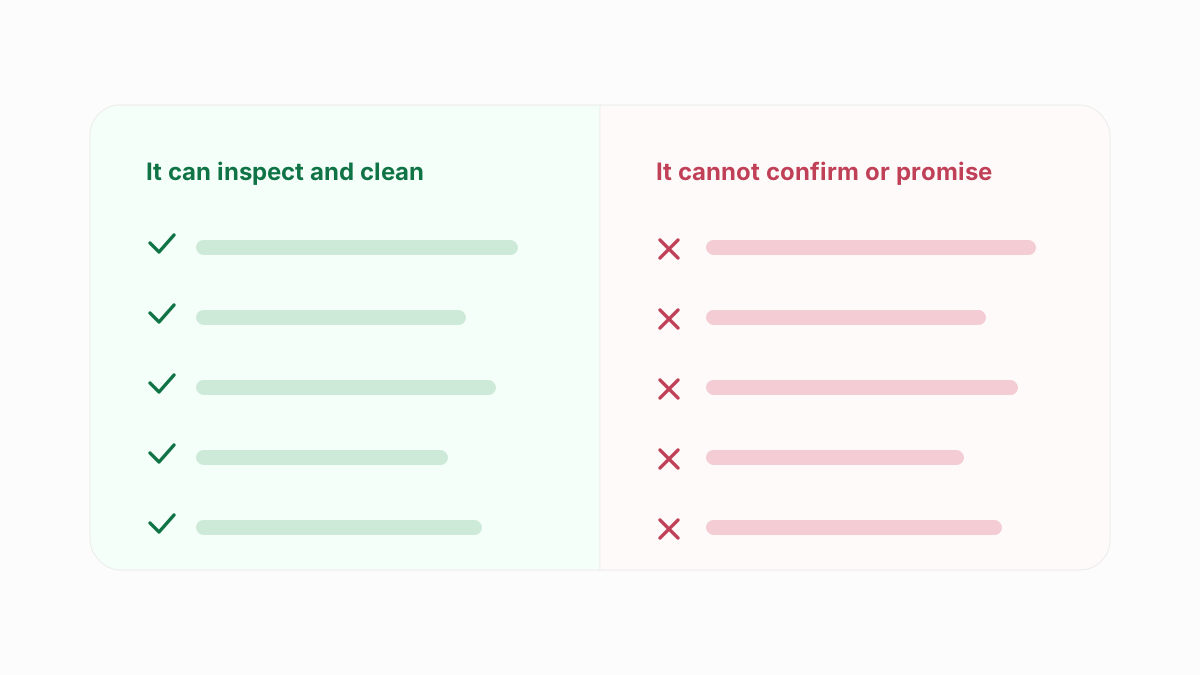
Some invisible characters are legitimate in certain languages, emoji sequences, and code. The Claude Watermark Remover shows context and never removes every invisible character by default.
Questions, answered carefully
Yes, completely free, with no account, no credit card, and no usage limit. Everything runs locally in your browser, so there is no server cost to pass on to you. Any future paid tier would cover batch or team workflows only, never the single-text check on this page.
Anthropic says supported Claude models can embed an imperceptible mark in generated text. Its public documentation does not yet provide a general third-party method for reliably detecting or removing that model-level mark. Copied Claude text can also carry ordinary hidden Unicode or formatting residue, which is a separate thing entirely — this tool inspects the second category and never labels it as Anthropic’s official mark.
Paste the text, run the inspection, review each flagged artifact, and remove only the items you choose. The Claude Watermark Remover can clean directly inspectable Unicode and formatting artifacts, and it shows a before-and-after preview so nothing changes without your approval. It cannot remove Claude’s model-level mark, which is statistical rather than character-based — only rewriting the passage displaces that.
It should not, because nothing is removed until you approve it. Every finding shows the exact character, its code point, its position, and the surrounding words, and you tick only the items you want gone. Some invisible characters are legitimate — in Arabic and Hebrew text, in emoji sequences, and in certain code — so safe artifacts are pre-selected and ambiguous ones are left unchecked.
Claude Code and Claude responses can contain copied formatting or Unicode characters, but that alone does not prove an official watermark. Anthropic’s public marking information does not establish that every code response contains a detectable mark. Inspect the actual characters and review each finding in context before changing source files.
Yes, for the characters it can inspect. Paste any code or terminal output and it will flag zero-width characters, bidirectional controls, and Unicode Tags exactly as it does for prose. Review each one carefully in code, because a control character that looks suspicious in an essay can be entirely legitimate inside a string literal.
The Claude Watermark Remover checks for inspectable text signals such as zero-width characters, bidirectional controls, Unicode Tags, selected control characters, and clipboard formatting artifacts. Results include the character, position, category, context, and proposed change.
Yes. Although it is built as a Claude AI watermark remover, the tool inspects characters, not providers. Text copied from ChatGPT, Gemini, a word processor, or a web page runs through exactly the same Unicode and clipboard-HTML inspection. What it cannot do — for any provider — is detect or strip a statistical model-level watermark that has not been publicly documented.
No. Pasted text is processed locally in your browser and is not stored in an account, database, or user gallery. Nothing is sent to a server, and clearing the tool removes the working copy from the page.
It accurately reports the specific characters and formatting artifacts it inspects, with the code point and position for each one so you can verify every result yourself. That accuracy is limited to those observable signals. It does not determine authorship and does not detect Anthropic’s model-level mark, which requires Anthropic’s key and cannot currently be read by any third party.
No. The Claude Watermark Remover works on text and does not strip signed file provenance. Use the separate C2PA file checker to inspect supported files and understand their credential status.
No. ClaudeWatermarks.com is an independent tool and is not affiliated with, endorsed by, or operated by Anthropic. Claude is a trademark of Anthropic.
Before you draw a conclusion
The Claude Watermark Remover only reports what it can inspect directly. These guides cover the parts it deliberately does not claim to answer.
Transparent by design
The Claude Watermark Remover shows you every proposed change first. Inspect the text, understand what each one does, and remove only the artifacts you choose. No account, no upload, no limit on how often you run the Claude Watermark Remover — whether you are cleaning a single Claude answer or every draft you publish this week.